PlayAreaOS
For kids' play areas and family venues

Play area management software: run your whole venue from one screen

PlayAreaOS is a play area operating system for kids' play areas, soft-play centres, indoor playgrounds, trampoline parks and family entertainment centres: the POS, the timers, the waivers, the parties, the payroll and more, in one browser-based system that runs on the devices your venue already owns.

Why owners switch

The whole venue. One system.

  • One system

    Waivers to payroll, nothing extra to buy.

  • Offline-proof POS

    The POS keeps selling when the internet drops.

  • Per-child timers

    Colour wristbands, loud time-up alerts.

  • Waivers on the parent's phone

    Scan, sign once, no app, no account.

  • More Google reviews

    A feedback page that helps you get more Google reviews and lets families tell you privately when something went wrong.

  • WhatsApp & email campaigns

    Birthdays and welcomes sent for you, and win-back offers to families who have stopped coming.

  • Off-site backups

    Your records copied out on a schedule.

  • Multi-branch

    One organisation, several locations.

  • Bills that read themselves in

    Photograph a supplier bill on your phone and the reader fills the bill in for you to check and save.

See it work

Tiny screens. One whole day.

A taste of the app's own tile board, each window is a working scene from a real module, and there are plenty more inside.

The POS

Play timers

Waivers

Parties

Passes

Reports

Rota

Campaigns

Every window is an , the modules are real; the numbers are theatre.

A day with PlayAreaOS

From doors-open to lights-off.

Front desk, play floor, back office, one system underneath, one family record threading it together.

09:40 · Front desk

A family walks in, and nothing gets retyped.

The parent signs once on their own phone, that signature becomes the family record. The POS asks which children are going on the floor, so the sale and the session connect themselves. If the connection drops, sales queue and sync.

WaiversThe POSPassesParty bookingsLost & foundInbox
15:00 · Play floor

Every child on the clock, loudly.

Every session lands on one timer board with colour wristband slots and loud time-up alerts, plus WhatsApp time reminders. More time is rung through the POS, so the clock and the money never drift apart.

Timer boardColour wristbandsTime-up alertsOverstay trackingExtend at the POS
21:30 · Back office

The day adds itself up.

Sales by hour, photographed supplier bills that read themselves in, payroll, the rota beside geo-located clock-ins. Welcome notes and birthday wishes send themselves automatically, by WhatsApp and email.

ReportsFinanceSupply chainPayrollRota & clock-inCampaignsFeedbackLoyalty & vouchers

Two looks, one app: a playful Arcade skin for the counter, a sober Executive skin for the office. One customer record threads the whole day together.

Nothing here is hardcoded. Everything is customisable, prices, packages, deposits, VAT, currency, waiver wording, staff roles, even the home screen itself. Move the tiles around, switch the skin, change the colours. Make it yours.

What's inside

Every tile, spelled out.

The whole product, module by module, and every word of it yours to edit.

  • Digital waivers

    Parents scan a QR code and sign once on their own phone. No app, no account, and the signature stays with the family from then on.

  • The POS

    A fast, tile-based point of sale with shifts and cash counts. If the connection drops, sales queue offline and sync when it returns.

  • Play timers

    Per-child clocks on one board, colour wristband slots, time-up alerts and overstay tracking. Extending time is a normal sale.

  • Party bookings

    Birthday requests arrive from your own booking form, priced with your packages, add-ons and deposits, and move through the diary to the day itself.

  • Passes

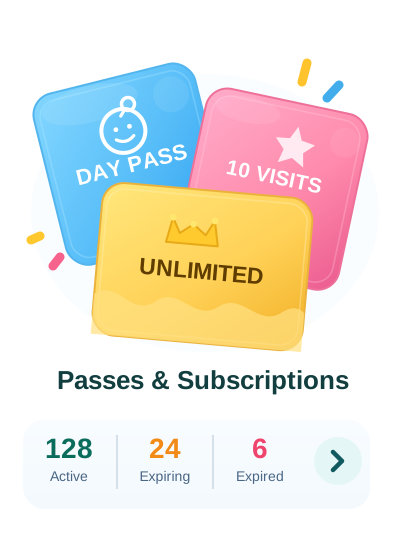
    Multi-visit passes sold at the POS and punched off visit by visit, so a regular family arrives already paid for.

  • Vouchers

    Single-use vouchers you print and hand out to bring a family back, redeemed once at the counter.

  • Loyalty

    Stamps that reward the families who keep coming back.

  • Customer 360

    One record per family: the children, the signatures, every visit, pass, party and note, one thread from the first waiver on.

  • Campaigns

    Welcome notes, next-day "how was it?" messages and birthday wishes that send themselves, in your own words.

  • WhatsApp

    One inbox for the venue's WhatsApp, on the same family record the POS already keeps. Birthday wishes and win-back offers to lapsed families go out on their own.

  • Emailer

    Send a campaign to the families you want to reach, from your venue's own address.

  • Feedback

    A feedback page that helps you get more Google reviews and lets families tell you privately when something went wrong.

  • Rota & clock-in

    Plan the week's shifts and see planned versus actual at a glance. Clock-ins are geo-located per branch.

  • Payroll

    Salaries, leave and end-of-service. Staff see their own payslips, and only their own.

  • Finance

    Photograph a supplier bill and the reader fills it in for you to check and save into the register. P&L, assets, and a full import for your back-catalogue.

  • Supply chain

    Suppliers, purchase orders, receiving and stock, the buying side of the business on its own tiles.

  • Reports

    Daily summary, receipts, shifts, payment types, sales by hour and by category.

  • Lost & found

    A photo gallery of every found item with all its details, so the lost-jacket answer never depends on who was on shift.

  • Staff forms

    End-of-day checks and the routine forms you design, filled in on the floor.

  • Multi-branch

    One organisation, several locations. Staff can work across branches and the records stay straight per branch.

  • Live notifications

    Know the moment it happens, sales, refunds, low stock and staff requests, pinged straight to your phone.

How it works

From sign-up to the first sale in three steps.

Sign up and name your venue

Create your organisation, set your currency and VAT. Waivers work from day one.

Bring your lists

Your families and your price list come across from your old POS or your spreadsheets. The switching page walks the whole move through.

Open the POS

Load your prices, give staff their PINs, print your QR codes, and take the first sale.

Built carefully

Boring where it matters most.

Playful at the front. Underneath, built like the money and the signatures depend on it.

Your data is yours alone

No other organisation can ever see your records. The separation is built into the platform's foundations.

The desk knows who is on it

On a shared counter device the screen locks between people. A personal PIN says who is at the counter, so the POS offers only what that person's role allows.

Everyone gets their own job

What a person can refund, discount, export or edit follows the role they are given, and the roles are yours to shape as the team grows.

Backed up off-site

Your organisation's records are copied to independent off-site storage on a schedule.

Pricing

Simple plans, priced for one venue at a time.

A plan is a bundle of tiles, you only buy the shape of your own venue.

14-day free trial on every plan — no credit card required.

Front Desk

$99 / month

Includes 1 branch · 1 POS · 1 login

  • Digital synchronized waivers & customer records
  • The POS, shifts and cash counts
  • Digital assigned timers with WhatsApp reminders & extension links
  • Multiple passes & subscriptions
  • Lost & found and feedback
Whole venue

Full Venue

$199 / month

Includes up to 5 branches · 5 POS · 5 logins

  • Everything in Front Desk
  • Party bookings with deposits
  • Loyalty & vouchers with redemption
  • Automated email campaigns: birthdays, win-back & broadcasts
  • Staff rota and clock-in
  • The full reports suite

Venue + Office

$349 / month

Includes 15 branches · unlimited POS & logins

  • Everything in Full Venue
  • Payroll, payslips and UAE WPS export
  • AI bill scanning and P&L
  • Supply chain: purchasing and inventory
  • WhatsApp AI agent & automated campaigns (birthdays, win-back) + timer reminders
Questions

Asked by every owner, answered honestly.

What does PlayAreaOS cost?

PlayAreaOS is billed per organisation, monthly or yearly, in three bundles: Front Desk at USD 99, Full Venue at USD 199, and Venue + Office at USD 349 a month. Every new account starts with a 14-day free trial, and no card is needed to begin. For more than one site, email info@playareaos.com for a group quote.

How do I move over from what I use now?

Your families, your product list and your opening balances come across from your old POS or your spreadsheets, and you go live on a day that suits your venue rather than one you are handed. The switching page walks the whole move through.

How long before we are actually running?

Sign up, load your prices, give your team their logins and print your QR codes. Waivers can be working the same afternoon, and the rest of the tiles light up as you are ready for them.

Do parents need to download an app or make an account?

No. Parents scan a QR code or tap a link for the waiver, the party booking form, the feedback page and your price list.

Do I need to buy special hardware?

No. PlayAreaOS runs in the browser on any device you already own: a tablet at the counter, a phone on the floor, a laptop in the office.

Can I keep my own prices, packages and VAT?

Yes, all of it. Prices, party packages, add-ons, deposits, VAT, currency, waiver wording, email text and staff roles are yours to edit inside the app.

Does PlayAreaOS work outside the UAE?

Yes. Your country, your currency, your tax rate and the days your week treats as the weekend are all yours, and the rest of the system follows: the POS, the play timers, the waivers, the parties, the passes, the customer records, the stock, the suppliers, the rota, the reports and the books. Venues in the UAE get WPS payroll files out of the same system.

Can my team learn it?

Yes. The counter is a board of tiles, and the jobs a shift actually does, sign a family in, start a clock, take the money, close the POS, are the ones on the front of it.

What happens if I miss a subscription payment?

A reminder comes before the due date, and after it a three-day grace period during which waivers and the POS keep working. If the account pauses, every customer, waiver and sale stays exactly where you left it, and paying switches it all back on instantly.

What if I cancel?

You keep full access to the end of the period you have paid for, and your records are kept safely for a year afterwards in case you come back. Nothing is ever charged after you cancel.

To cancel, or to upgrade, downgrade or add an extra tile, send the request from the subscription page inside the app and the PlayAreaOS team actions it for you.

Can I run more than one branch?

Yes. Add your locations as branches and your staff can work across them, with each branch's cash, shifts and reports kept straight.

Open on the devices you already own.

Start with waivers today. Light up the rest of the tiles when you're ready.